MAINFRAME/1 · BRAND SYSTEM · RELEASE 26.07
Built like a system.
Visible at 16 pixels.
A calm, operational identity for an always-on machine. This page is the source for marks, tokens, interface patterns, and exports.
PRIMARY MICRO-MARK /
ASSETS ONLINELIGHT + DARKSVG + PNGAPP-READY TOKENS
01 / IDENTITY
Keep the wordmark.
Make the system complete.
MAINFRAME/1 is the formal mark. The slash-number grammar carries the mainframe lineage and is not a version counter. Use plain “Mainframe” in running copy.
The identity should feel like serious infrastructure, not terminal cosplay. Large surfaces are calm. Operational signals are precise. Cyan appears when the system has something to say.
02 / LOGO FAMILY
One name. Three useful forms.
Use the full mark by default, the company lockup when provenance matters, and the micro-mark only where the wordmark cannot fit.
PRIMARY WORDMARK /MAINFRAME/1
Wordmark
The formal display mark. Use in headers, covers, and titles.


Product lockup
Use only where the corporate relationship must be stated.
03 / MICRO-MARK
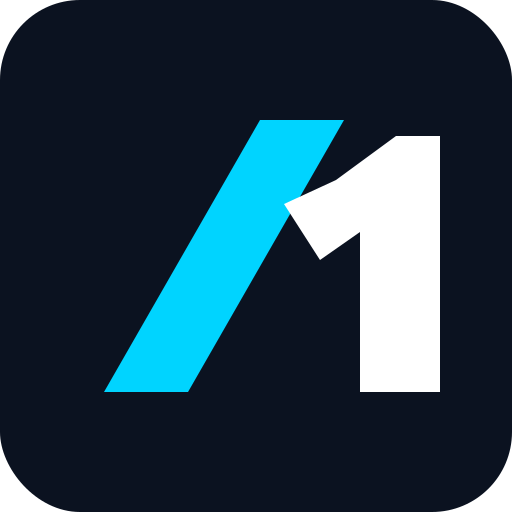
The favicon should not be a tiny wordmark.
The previous M-plus-slash mark became visual noise at browser-tab size. The new micro-mark isolates the most ownable part of the identity: /1. It stays legible at 16 pixels and reads naturally inside the future app launcher.
 16 PX32 PX64 PX128 PX
04 / COLOR TOKENS
Calm surfaces.
Precise signals.
The same semantic roles work in marketing and product UI. Status colors communicate state; they are not decoration. Luminous cyan and phosphor belong on dark surfaces. Light surfaces use their deeper, accessible counterparts for text.
Console
#0B1220Primary dark surface
Panel
#1E293BRaised dark surface
Signal Cyan
#00D4FFSignature and action
Phosphor
#39FF6EHealthy state on dark surfaces
Operational Green
#087A3EHealthy-state text on light surfaces
Deep Cyan
#007287Accent text on light surfaces
Operator Amber
#FFB000Attention and waiting
Paper
#FFFFFFPrimary light surface
Mist
#F1F5F9Secondary light surface
Ink
#111827Primary light text
05 / TYPOGRAPHY
Operations should feel inevitable.
Mainframe uses Inter for calm, readable product and marketing copy. It is neutral enough to disappear and precise enough for a serious operational surface.
JOB inbox-triage · 10:00COMPLETED · 43 ITEMS · 9 DRAFTS
06 / PRODUCT DIRECTION
A command centre, not a process monitor.
The current product has strong operational depth. The next interface should translate that depth into a calm, self-explanatory system for one operator. It must answer three questions immediately: what is working, what needs me, and what changed.
Attention before inventory
Lead with what needs a decision, what is working, and what was delivered. The full inventory remains one step away.
Outcomes before telemetry
Show the job and its result before engines, sessions, tokens, process IDs, or raw transcripts.
One grammar everywhere
The same hierarchy, status language, spacing, and actions must carry across every product area.
Details on demand
Progressive disclosure keeps the default view calm while preserving logs, configuration, and full operational depth.
AREAKEEPIMPROVE
Live state and direct access to agents
Group by attention and outcome, not a wall of live terminal cards
Tree and document preview as the shared working memory
Reduce system-folder noise and make recency, search, and ownership clearer
Every run is logged as a job
Make cadence, next run, last result, and health readable in one scan
Nothing external happens silently
Explain impact, destination, changed fields, and exact consequence before approval
Large pre-built catalog plus custom connections
Separate connected health from discovery, and keep secrets as secondary administration
07 / PRODUCT INTERFACE
One coherent operating surface.
This interactive reference defines the target hierarchy for the app. Use the navigation to inspect each core area, then switch the page theme above to verify the same system in light and dark mode.
IMPLEMENTATION REFERENCE /
Direction, information hierarchy, component behavior, and semantic colors are intentional. Example names and data are illustrative.
MainframeYour private system
System onlineYOU
OVERVIEW / LIVE SYSTEM
Good morning.
Everything working, waiting, and recently delivered across your Mainframe.LIVE WORK /What is moving now
YOUR MAINFRAME /One system, six operating layers
OnlineAGTAgents4 working
RTNRoutines14 today
APPApps3 healthy
CONConnections24 ready
APRApprovals3 waiting
FILFiles8 recent
ACTIVITY / TODAYA system-wide operating log
JOBmorning-briefDelivered
AGTinbox-triage9 drafts → Approvals
APPlead-inboundRunning
FILProduct brief.mdUpdated by Market research
WORKFORCE /
Your agents
See what is working, what finished, and what needs you.!
One agent needs your decisionProposal studio has prepared a draft for review.
4working now
1needs you
7ready
18jobs today
Active and recent
⌕ Search workforce
FILES /
Working memory
WORKSPACE /
Knowledge / Market research / Product brief.md
PRODUCT / MAINFRAME
A private AI command centre that keeps working.
Mainframe gives one person an always-on place for agents, files, routines, connections, and decisions.
OPERATING PRINCIPLEConversation starts the work. Files preserve it.
Current priorities
- 01 Make active work visible at a glance.
- 02 Put every external action through Approvals.
- 03 Keep context available to every authorized agent.
ROUTINES /
Work that happens again
Standing instructions run every interval or at specific times.Next runInbox triagein 12 minutes
Today14 jobs14 completed
HealthAll systems normalLast checked now
Schedule
08:00
Morning prioritiesWeekdays at 08:00
NEXT RUNTomorrow · 08:00
LAST RESULTCompleted in 3m 42s
On18:30
Inbox triageEvery 30 minutes
NEXT RUNToday · 18:30
LAST RESULT43 read · 9 drafts
On10:00
Pipeline follow-upMonday and Thursday · 10:00
NEXT RUNMonday · 10:00
LAST RESULTWaiting for one connection
OnEvery run is a job
See the agent, inputs, output, duration, and full log. If it is not logged, it did not happen.
APPROVALS /
Your decision queue
Understand what will happen before anything leaves the system.3waiting for you
High impactPROPOSAL STUDIO /
Waiting 2 minSend proposal v2 to Acme Europe?
The agent updated the implementation timeline and commercial terms after your call. This will email two external recipients.
TOAnna Klein, David Roth
SUBJECTMainframe implementation proposal v2
CHANGEDTimeline · pricing · scope
CONNECTIONS /
Your system’s reach
Connect once. Authorized agents can use the same tools and data.✓
3 connections healthyCredentials checked 4 minutes ago
GmailCommunication
ConnectedDropboxStorage
ConnectedTelegramChannel
ConnectedNotionKnowledge
AvailableSlackCommunication
AvailableLinearProductivity
Available∞
Need something else?Ask Mainframe to build a private connection for any API or MCP.
ALWAYS-ON ASSISTANT /
OnlineReach Mainframe beyond this browser.
The same context, agents, files, and connections are available from every paired channel.
ENGINEClaude Code
MODELClaude Sonnet 4
Anthropic · Mainframe AI Credits
TelegramPaired as you
Connected+
Another channelWeb, mobile, or a private interface
CUSTOM CONNECTION /
Launch an agent with the system and its API documentation. It can build and test the connection, then request credentials securely.
Connect our private property database and make listings searchable…
SECURE VAULT /
API keys and credentials.
Values are stored by reference and never appear in conversations, API responses, or logs.
OPENROUTER_API_KEYOpenRouter · used now
HealthyDROPBOX_REFRESH_TOKENDropbox · used 12m ago
HealthyHUBSPOT_PRIVATE_APPRequested by Pipeline operator
NeededSTANDING INSTRUCTION /
Create a routine
CONNECTION /
Add a connection
Authentication opens in the provider’s secure window. Mainframe never asks for your password.
SECURE VAULT /
Add an API key
SESSION WORKSPACES /
One session. Any surface. Several at once.
Dock agents beside the current page, then expand the same live sessions into a chrome-less multi-agent workspace.
ULTRAWIDE SCALE / 30REM CONTENT + 3 × 20REM DOCKS
WORKFORCE /Your agents
4 working1 needs you12 total
Market researchMapping the European property software market
WorkingProposal studioProposal v2 is ready for your approval
Needs youInbox operatorMorning triage completed
DeliveredCONTENT FLOOR / 30REM
The page reflows. It is never covered by the dock rail.
WorkingMarket researchCodex · GPT-5.2 Codex
Comparing 8 category leaders
Needs youProposal studioClaude Code · Claude Sonnet 4
Waiting for approval
WorkingPipeline operatorClaude Code · Claude Sonnet 4
Preparing the next follow-up batch
No room for another dock at this width.Close a dock or keep every session in a full workspace.
/workspace/agents?sessions=session-market,session-proposal,session-pipeline
WorkingMarket researchCodex · GPT-5.2 Codex
SESSION 1 / SAME LIVE OBJECT
42 companies mapped. I am validating the strongest entry points.
Comparing 8 category leaders
MDProduct brief.mdSame pending reference
Needs youProposal studioClaude Code · Claude Sonnet 4
SESSION 2 / SAME LIVE OBJECT
Proposal v2 is ready. I need your decision on the pricing page.
Waiting for approval
WorkingPipeline operatorClaude Code · Claude Sonnet 4
SESSION 3 / SAME LIVE OBJECT
18 new leads are scored and grouped by buying signal.
Preparing the next follow-up batch
08 / PRODUCT PRIMITIVES
State should explain itself.
These primitives use semantic tokens in either theme. Status color reinforces a written label and never carries meaning alone.
AGENT WORKINGCOD
Proposal follow-up
Reviewing meeting context and drafting the next version for approval.
08:42RUNNING
APPROVAL / 04HIGH IMPACT
Send proposal v2?
Draft is ready. Two changes are highlighted for your review.
ROUTINE / HEALTHYDAILY
Inbox triage
- NEXT RUN
- 10:00
- LAST RUN
- COMPLETED
- LOG
- JOB-1042
09 / THEME CONTRACT
Light is paper.
Dark is the machine.
The two themes share hierarchy and semantic meaning, but they are not simple inversions. Dark mode is focused and infrastructural. Light mode is warm, quiet, and document-led. Neither uses low contrast accent text for small labels.
DARK / DEFAULTFocused operations
- Canvas
- #08111D
- Panel
- #0D1928
- Raised
- #132238
- Text
- #F8FBFF
- Action
- #00D4FF
Use tonal depth and hairlines to structure the interface. Avoid excessive glow, pure black panels, and decorative status color.
LIGHT / DOCUMENTWarm working surface
- Canvas
- #F3F0E9
- Panel
- #FCFBF7
- Raised
- #FFFFFF
- Text
- #142033
- Action
- #007B91
Use a warm neutral canvas with crisp white working surfaces. Avoid blue-grey washes that make the product feel administrative.
CyanPrimary action, selection, active work
GreenHealthy, completed, connected
AmberWaiting, attention, consequential review
RedFailure, destructive action, blocked state
10 / DO
Premium calm control room.
- Use MAINFRAME/1 in display contexts.
- Use Mainframe in prose and product UI.
- Keep generous space around the mark.
- Use monospace for facts, states, IDs, and time.
- Let cyan carry action and identity.
- Show outcomes before implementation detail.
- Make the next useful action obvious.
11 / DO NOT
Never turn it into terminal cosplay.
- Do not write MAINFRAME1 in customer copy.
- Do not treat /1 as a release number.
- Do not fill entire screens with terminal green.
- Do not use novelty fonts for body copy.
- Do not invent another standalone icon for launch.
- Do not make every live session equally prominent.
- Do not expose technical plumbing as primary navigation.